
InvoiceFlow
The Invoice Management System
A simple, Laravel-powered invoice management system for small retail and service businesses — raise an invoice in seconds from the invoice terminal, then manage the product catalog, cash register shifts, customer accounts and loyalty, expenses, and reports from one admin panel.
Introduction
InvoiceFlow is a simple, single-application invoice management system built on Laravel 12. Every sale becomes an invoice you can print, download as a PDF, or settle later against a customer account. It covers the day-to-day invoicing of a small retail or service business:
Invoice Terminal
Barcode scanning, cash and card tenders, A4 PDF invoices, thermal receipts, and register shifts.
Product Catalog
Products with variants, add-ons, categories, brands, tags, and units of measure.
Reports & Admin
Order, product, customer, user, and expense reports over any date range.
Everything runs as one Laravel application — no separate frontend server required, and the admin and invoice terminal work in a phone browser. Follow this documentation to install and configure InvoiceFlow on your server.
System Architecture
InvoiceFlow is a monolithic Laravel application — one codebase, one deployment. Livewire handles reactive UI components server-side, so no separate JS build server is needed in production.
What's Included
- ✓ Laravel 12 full source code
- ✓ Web installer wizard
- ✓ Pre-seeded demo data (optional)
- ✓ Documentation
Tech Stack
- • PHP 8.2+ / Laravel 12
- • Livewire 4 / Alpine.js
- • Tailwind CSS v4
- • MySQL 5.7+ / MariaDB
- • Server-side barcode generation (picqer/php-barcode-generator)
Changelog
- ✓ Invoice terminal — Livewire invoice screen with cash and card tenders, per-line customization notes, and invoice editing
- ✓ Product catalog — products with variants, add-ons, warranty, categories, brands, tags and units
- ✓ Barcode — scan-to-search on the invoice terminal, plus printable barcode label sheets (server-side SVG generation)
- ✓ Cash register / shifts — open & close register sessions, cash in/out movements, printable Z-Report. Refunded and cancelled orders are excluded from expected drawer cash
- ✓ Customer accounts — due/credit ledger, loyalty points (earn on sale, redeem for value), per-customer ledger view
- ✓ Order statuses & payments — configurable statuses with history, and a payments screen filterable by payment date
- ✓ Expense management — expense categories and expenses with date filtering
- ✓ Reports — Order, Product, Customer, User and Expense reports over a selectable date range
- ✓ Invoices & receipts — A4 PDF invoices and 80mm / 58mm thermal receipts
- ✓ Customers, users, roles & permissions — granular permissions with staff/customer separation enforced on web and API
- ✓ Multi-language, settings, REST API — six languages with RTL support, DB-backed settings, and a Sanctum-authenticated
/api/v1 - ✓ FAQ management — admin-managed help content with categories
- ✓ Web installer — browser-based multi-step setup wizard (requirements, purchase verification, database, admin, finish)
- ✓ Database backup & restore — admin-initiated SQL dump/restore (no shell access required)
- ✓ Activity log & notifications — audit trail of admin actions and in-app notifications
Server Requirements (VPS)
Minimum recommended specs for running InvoiceFlow (Laravel + MySQL) on a VPS.
CPU
1 vCPU minimum. 2 vCPUs recommended for production.
RAM
1 GB minimum. 2 GB recommended.
OS
Ubuntu 22.04 LTS (recommended) or Debian 12.
Important Server Documentation
Follow these notes when the application shows a server error.
500 Internal Server Error — Common Fix
The most common cause is a missing .env file or missing Laravel app key:
Then update .env with your database credentials before continuing.
Storage Permissions
File uploads and cache will fail if storage folder permissions are wrong:
Install & Configure Nginx
1. Install Nginx
sudo apt update
sudo apt install -y nginx
sudo systemctl enable nginx
sudo systemctl start nginx
2. Virtual host — /etc/nginx/sites-available/yourdomain.com
server {
    listen 80;
    server_name yourdomain.com www.yourdomain.com;
    root /var/www/invoiceflow/public;
    index index.php;

    add_header X-Frame-Options "SAMEORIGIN";
    add_header X-Content-Type-Options "nosniff";

    location / {
        try_files $uri $uri/ /index.php?$query_string;
    }

    location ~ \.php$ {
        include snippets/fastcgi-php.conf;
        fastcgi_pass unix:/var/run/php/php8.3-fpm.sock;
    }

    location ~ /\.ht { deny all; }
}
3. Enable site & reload
sudo ln -s /etc/nginx/sites-available/yourdomain.com /etc/nginx/sites-enabled/
sudo nginx -t
sudo systemctl reload nginxInstall & Configure MySQL
1. Install MySQL 8
sudo apt install -y mysql-server
sudo systemctl enable mysql
sudo mysql_secure_installation
2. Create database & user
sudo mysql -u root -p

CREATE DATABASE invoiceflow CHARACTER SET utf8mb4 COLLATE utf8mb4_unicode_ci;
CREATE USER 'invoiceflow_user'@'localhost' IDENTIFIED BY 'StrongPassword!';
GRANT ALL PRIVILEGES ON invoiceflow.* TO 'invoiceflow_user'@'localhost';
FLUSH PRIVILEGES;
EXIT;
3. Update Laravel .env
DB_CONNECTION=mysql
DB_HOST=127.0.0.1
DB_PORT=3306
DB_DATABASE=invoiceflow
DB_USERNAME=invoiceflow_user
DB_PASSWORD=StrongPassword!Install PHP & Extensions
InvoiceFlow requires PHP 8.2 or higher. The commands below install PHP 8.3 (recommended) with all required extensions.
sudo apt install -y software-properties-common
sudo add-apt-repository ppa:ondrej/php
sudo apt update
sudo apt install -y php8.3 php8.3-fpm php8.3-mysql php8.3-mbstring \
  php8.3-xml php8.3-bcmath php8.3-curl php8.3-zip php8.3-gd php8.3-intl

sudo systemctl enable php8.3-fpm
sudo systemctl start php8.3-fpmphp -v should show PHP 8.3.x
Install Composer
curl -sS https://getcomposer.org/installer | php
sudo mv composer.phar /usr/local/bin/composer
composer --version
Then inside your project directory:
cd /var/www/invoiceflow
composer install --optimize-autoloader --no-devDomain & DNS Configuration
Point your domain to the VPS IP via your registrar's DNS panel.
| Type | Name / Host | Value | TTL |
|---|---|---|---|
| A | @ | YOUR_VPS_IP | Auto |
| A | www | YOUR_VPS_IP | Auto |
dig yourdomain.com.
SSL Setup with Certbot (HTTPS)
1. Install Certbot
sudo apt install -y certbot python3-certbot-nginx2. Obtain certificate
sudo certbot --nginx -d yourdomain.com -d www.yourdomain.com3. Verify & test auto-renewal
sudo nginx -t && sudo systemctl reload nginx
sudo certbot renew --dry-runAPP_URL=https://yourdomain.com in your Laravel .env and clear cache: php artisan config:clear
Shared Hosting Requirements
Confirm your cPanel environment supports the following before deploying.
Laravel / InvoiceFlow
- ✓ PHP 8.2+ via MultiPHP or PHP Selector
- ✓ MySQL 5.7+ or MariaDB
- ✓ Composer (SSH Terminal)
- ✓ SSH Terminal access (cPanel → Terminal)
- ✓ Addon Domain / Subdomain creation
- ✓ File Manager or FTP access
- ✓ AutoSSL / Let's Encrypt SSL
Laravel Setup on cPanel
Deploy InvoiceFlow on shared hosting step by step.
Create Domain & Point to public/
In cPanel → Domains, add your domain and set its Document Root to the project's public/ folder:
/home/yourusername/invoiceflow/public
Upload Project Files
Upload the ZIP via cPanel → File Manager then extract:
cd ~/invoiceflow
unzip invoiceflow.zip -d .
rm invoiceflow.zip
Set PHP Version to 8.2+
In cPanel → MultiPHP Manager (or PHP Selector), select your domain and set PHP to 8.2 or newer. Enable extensions: pdo_mysql mbstring xml curl zip gd bcmath fileinfo.
Create MySQL Database
cPanel → MySQL Databases:
- Create database:
yourusername_invoiceflow - Create user with a strong password
- Add user to database with All Privileges
Configure .env
Rename .env.example → .env and edit:
# App
APP_NAME="InvoiceFlow"
APP_ENV=production
APP_DEBUG=false
APP_URL=https://yourdomain.com

# Database
DB_CONNECTION=mysql
DB_HOST=127.0.0.1
DB_PORT=3306
DB_DATABASE=yourusername_invoiceflow
DB_USERNAME=yourusername_dbuser
DB_PASSWORD=StrongPassword!

# Mail (optional)
MAIL_MAILER=smtp
MAIL_HOST=mail.yourdomain.com
MAIL_PORT=587
[email protected]
MAIL_PASSWORD=your_email_password
[email protected]
Install Composer & Run Artisan
cd ~/invoiceflow

curl -sS https://getcomposer.org/installer | php
php composer.phar install --optimize-autoloader --no-dev

php artisan key:generate
php artisan migrate --force
php artisan db:seed --force
php artisan storage:link
php artisan optimize
Set Permissions & Enable SSL
chmod -R 755 storage bootstrap/cache
Enable SSL via cPanel → SSL/TLS → AutoSSL or Let's Encrypt.
Test the Installation
Visit your domain — you should see the login page:
Server Requirements
Verify your hosting environment before installation.
PHP & Extensions
- ✓ PHP 8.2 or higher
- ✓ OpenSSL
- ✓ PDO + PDO_MySQL Extension
- ✓ Mbstring Extension
- ✓ Tokenizer Extension
- ✓ XML Extension
- ✓ Ctype Extension
- ✓ cURL Extension
- ✓ JSON Extension
- ✓ BCMath Extension
- ✓ Fileinfo Extension
- ✓ ZIP Extension
- ✓ GD Extension
Database & Server
- ✓ MySQL 5.7+ or MariaDB
- ✓ Composer 2.x
- ✓ Apache or Nginx
- ✓ SSL Certificate (HTTPS)
- ✓ 512MB+ RAM
Installation Guide
Deploy InvoiceFlow on your VPS. You can use the web installer (no SSH needed for setup) or install manually via SSH.
Download from Envato
Log in to CodeCanyon → Downloads → InvoiceFlow → Download All Files & Documentation. Extract the ZIP.
Upload Project to Server
Option A — SCP / FTP
scp invoiceflow.zip user@YOUR_VPS_IP:/var/www/
ssh user@YOUR_VPS_IP
cd /var/www && unzip invoiceflow.zip -d invoiceflow
Option B — Git
sudo mkdir -p /var/www/invoiceflow
cd /var/www/invoiceflow
sudo git clone https://github.com/your-repo/invoiceflow.git .
Configure .env & Choose Install Method
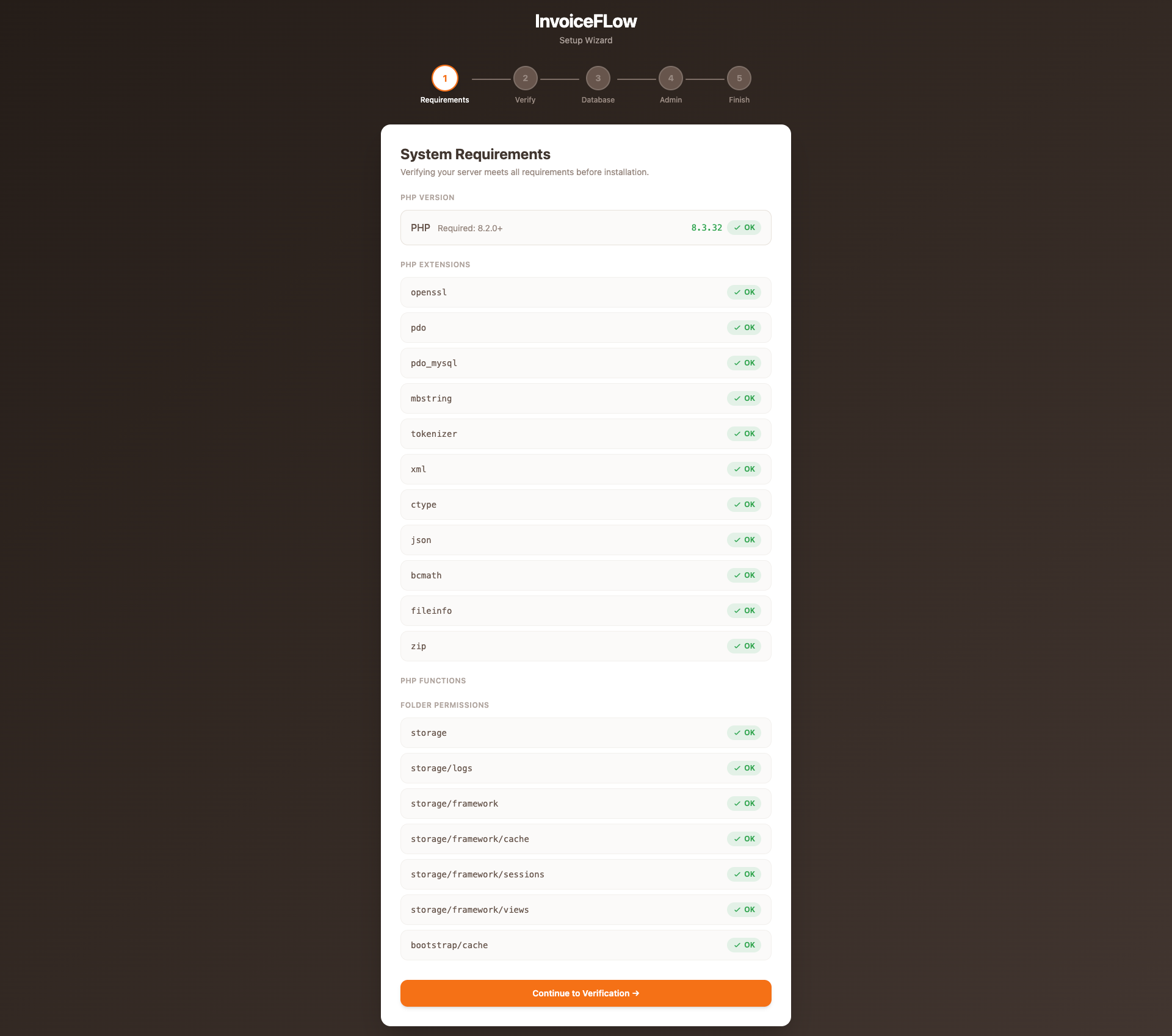
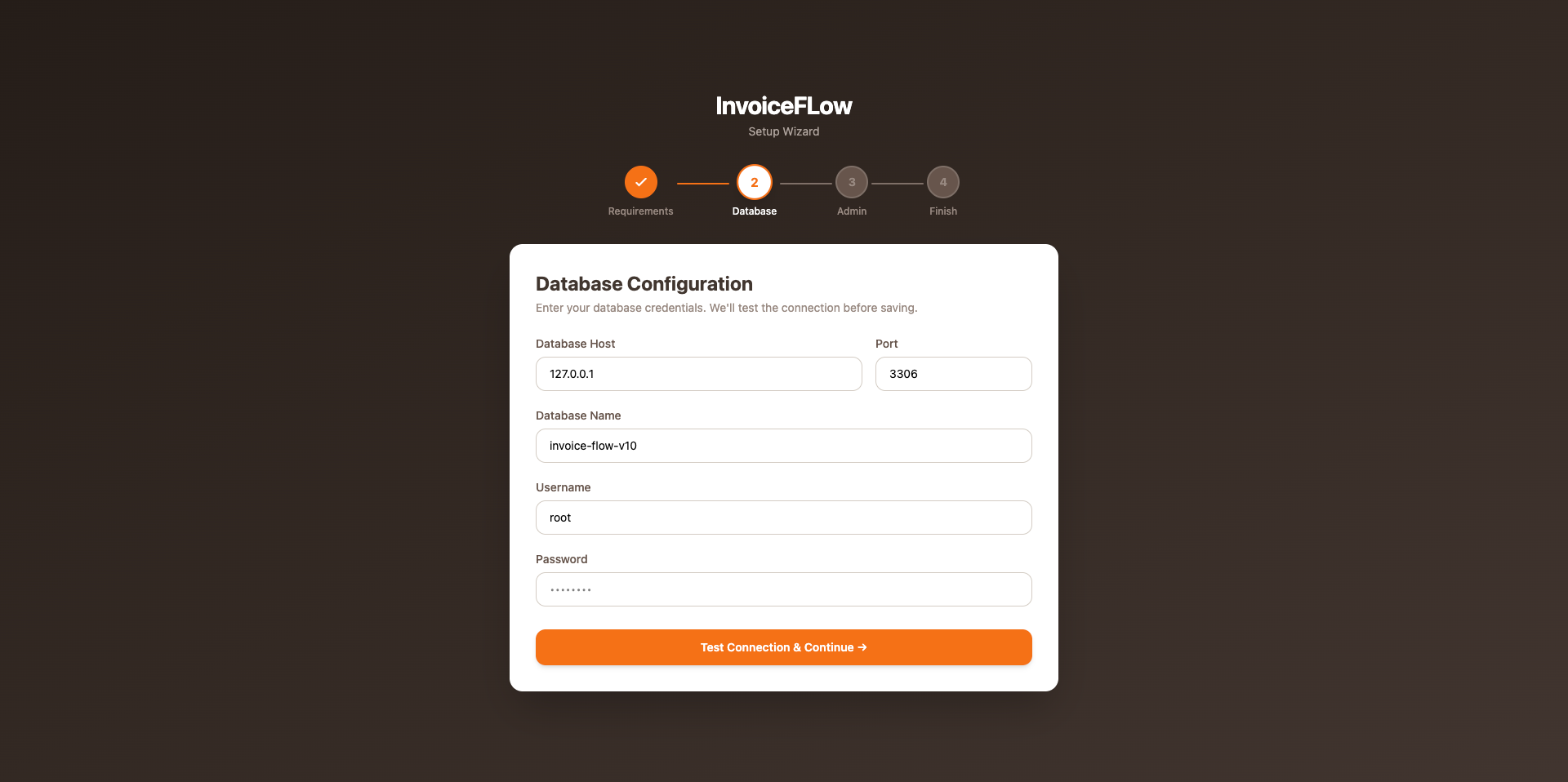
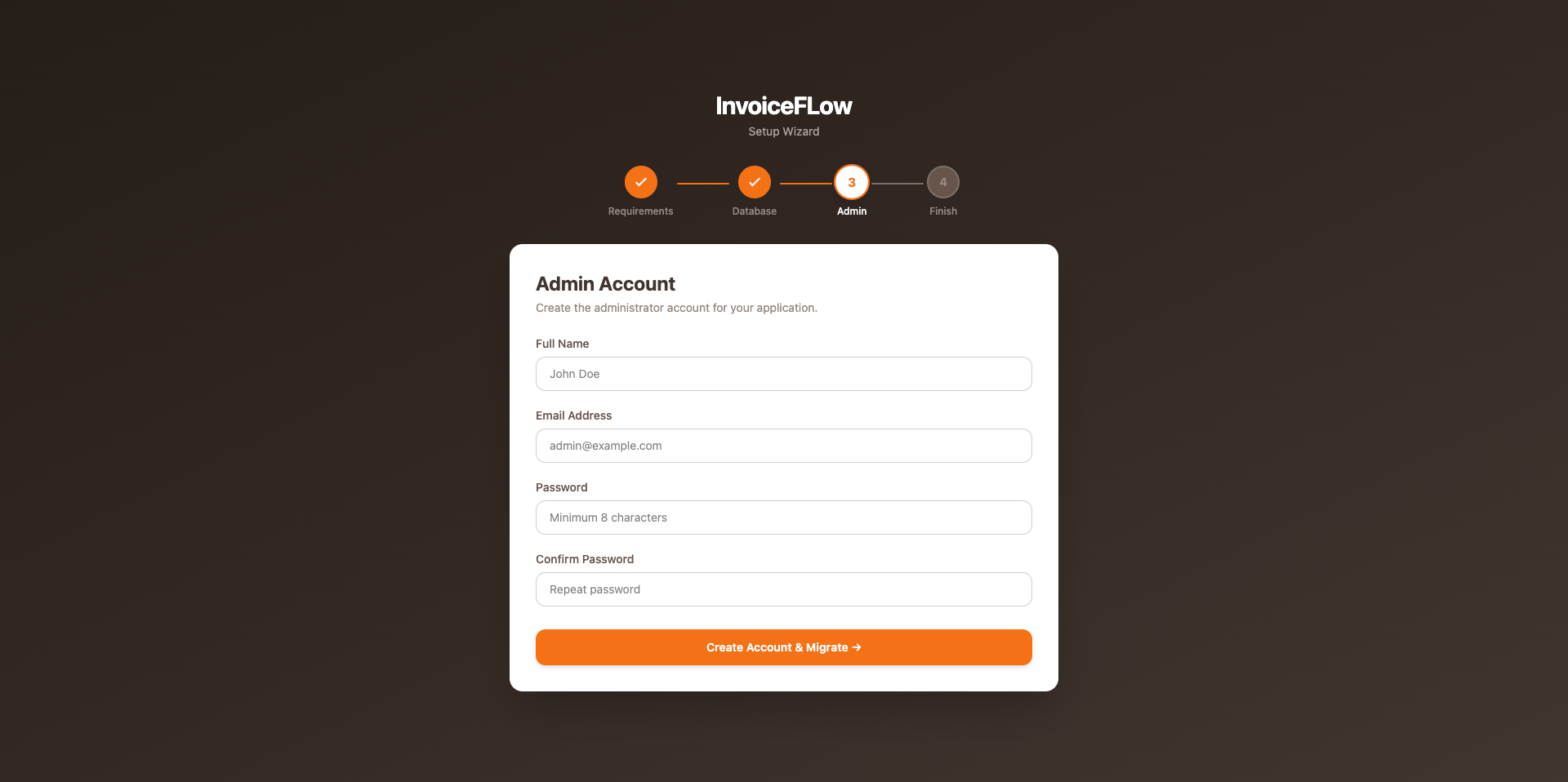
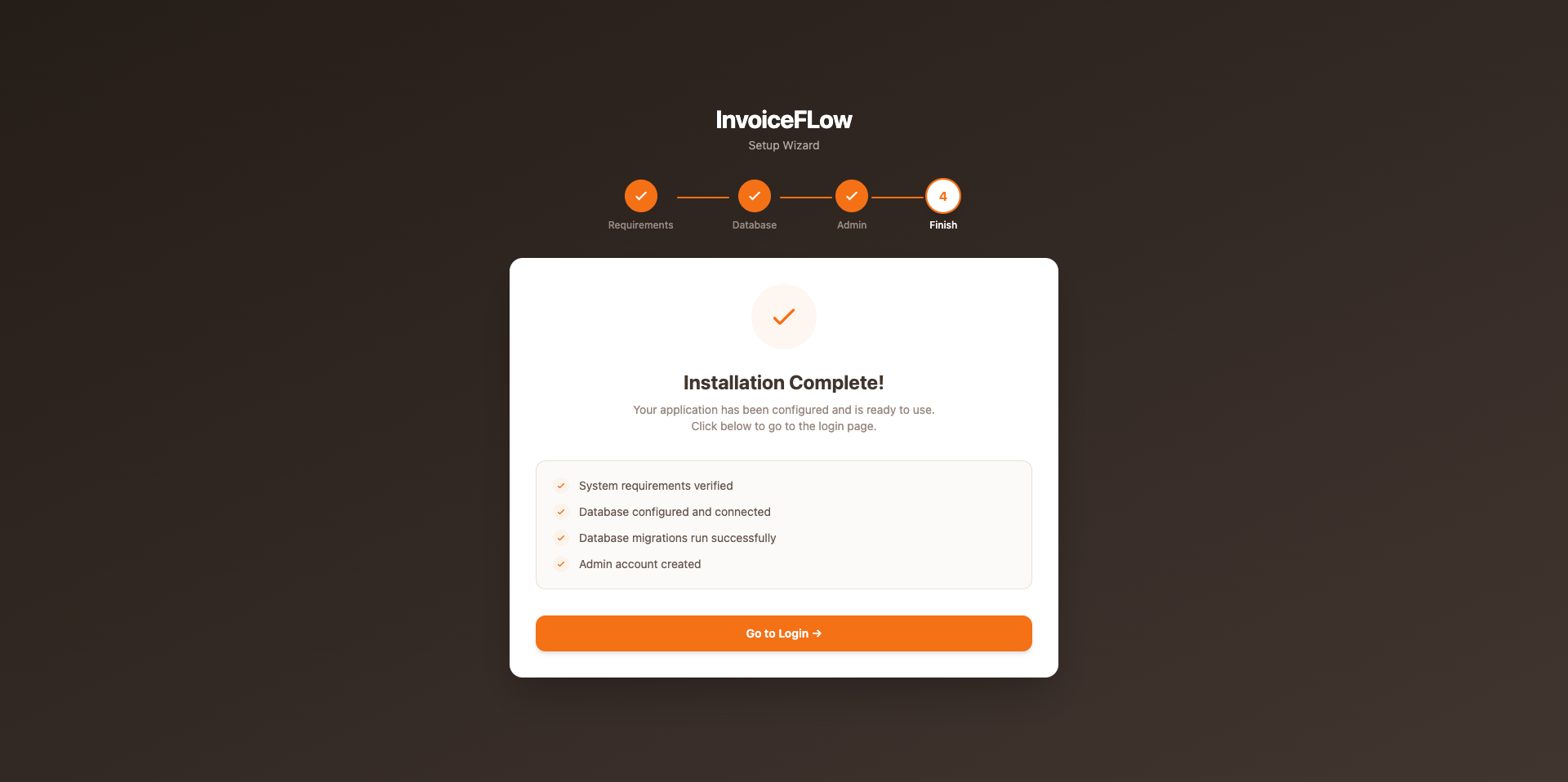
Copy .env.example → .env, then visit the installer in your browser and follow the on-screen steps — no SSH needed for the rest of the setup:
Installer Steps Preview
Copy and edit .env via SSH, then run artisan commands:
cd /var/www/invoiceflow
cp .env.example .env
nano .env   # set APP_URL, DB_* values

composer install --optimize-autoloader --no-dev
php artisan key:generate
php artisan migrate --force
php artisan db:seed --force
php artisan storage:link
php artisan optimize
Set Folder Permissions
chmod -R 775 storage bootstrap/cache
chown -R www-data:www-data storage bootstrap/cache
Test the Installation
Open your browser and visit the admin panel — you should see the login page.
Before going live, verify:
APP_DEBUG=false- Storage symlink exists:
ls -la public/storage - Folder permissions set on
storage/andbootstrap/cache/ - SSL certificate active
Configuration
Key settings available from Admin → Settings after installation.
General Settings
- • Store name, logo, currency, timezone
- • Tax rate and tax name
- • Service fee applied at checkout
- • Loyalty points rate (earn per sale amount) and redemption rate
- • Receipt header / footer text
- • Default language
Thermal Receipt Printer
Configure from Settings → Receipt Settings. Choose paper width (80mm or 58mm) and enable auto-print after an invoice is completed.
Mail (SMTP)
Set in your .env file:
MAIL_MAILER=smtp
MAIL_HOST=smtp.mailtrap.io
MAIL_PORT=587
MAIL_USERNAME=your_username
MAIL_PASSWORD=your_password
[email protected]
MAIL_FROM_NAME="InvoiceFlow"
Queue Worker & Background Jobs
InvoiceFlow ships with QUEUE_CONNECTION=sync in .env — emails and notifications are sent immediately during the request, so everything works out of the box with no worker process and no extra setup.
sync.
1. Enable background sending
Set the queue driver to database in your .env, then clear the config cache:
QUEUE_CONNECTION=database
php artisan config:clear
Queued jobs are now stored in the database — but they only run while a queue worker is running. Pick one of the options below.
2a. Recommended (VPS): Supervisor
Supervisor keeps the worker alive permanently and restarts it if it crashes:
sudo apt install -y supervisor
sudo nano /etc/supervisor/conf.d/invoiceflow-worker.conf
[program:invoiceflow-worker]
process_name=%(program_name)s_%(process_num)02d
command=php /var/www/invoiceflow/artisan queue:work database --sleep=3 --tries=3 --max-time=3600
autostart=true
autorestart=true
stopasgroup=true
killasgroup=true
user=www-data
numprocs=1
redirect_stderr=true
stdout_logfile=/var/www/invoiceflow/storage/logs/worker.log
stopwaitsecs=3600
sudo supervisorctl reread
sudo supervisorctl update
sudo supervisorctl start invoiceflow-worker:*
2b. Fallback (shared hosting): Cron
No Supervisor on shared hosting? Add a cron job (cPanel → Cron Jobs) that drains the queue every minute and exits when it's empty:
* * * * * php /home/yourusername/invoiceflow/artisan queue:work --stop-when-empty
Adjust the path to your installation. Emails may be delayed by up to a minute — acceptable for most stores.
sudo supervisorctl restart invoiceflow-worker:* or php artisan queue:restart) so it picks up the new code.
Features
All modules available in InvoiceFlow v1.0.0.
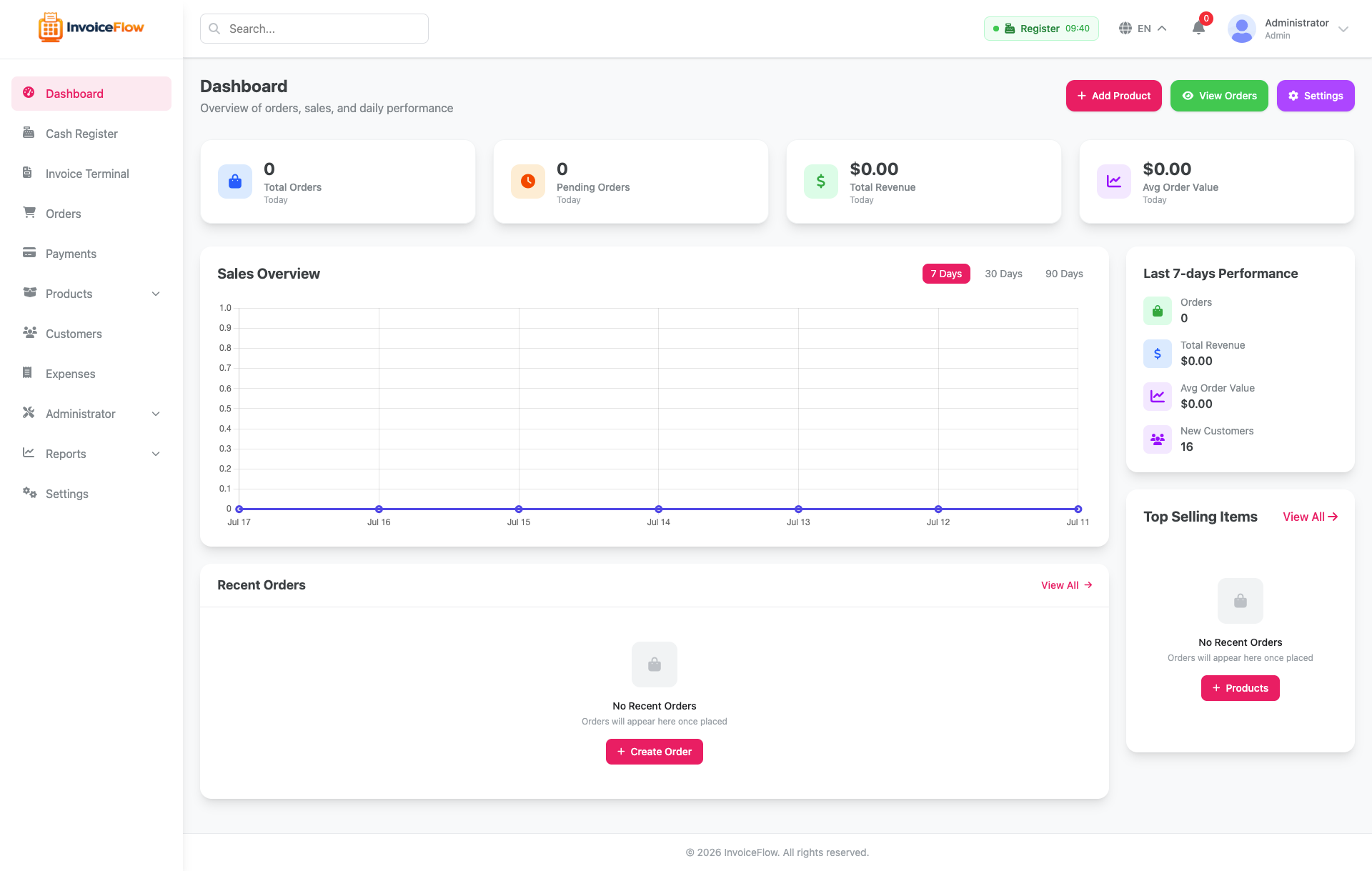
Dashboard
Real-time overview of store performance — today's revenue, orders, and top products.
- ✓ Daily, weekly, and monthly revenue charts
- ✓ Total orders and top-selling products
- ✓ Recent order activity feed
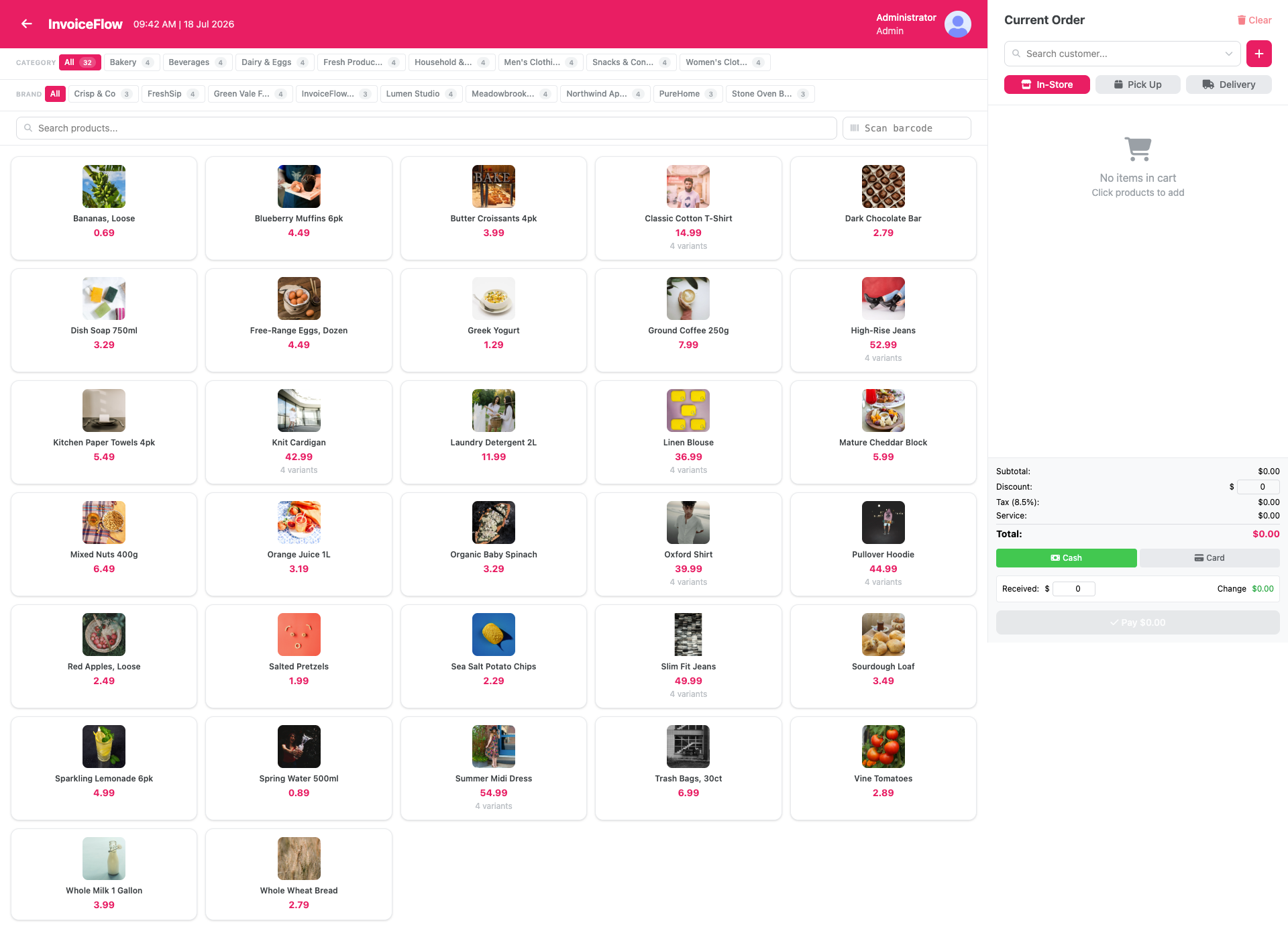
Invoice Terminal
Fast invoice screen with barcode scan-to-add, discounts, and instant A4 PDF or thermal receipt printing.
- ✓ Barcode scan-to-search (USB/Bluetooth scanner)
- ✓ Cash and card tenders, with change due on cash
- ✓ 80mm / 58mm thermal receipt + A4 PDF
- ✓ Redeem customer loyalty points against an invoice
- ✓ Tax and service fee applied server-side from settings
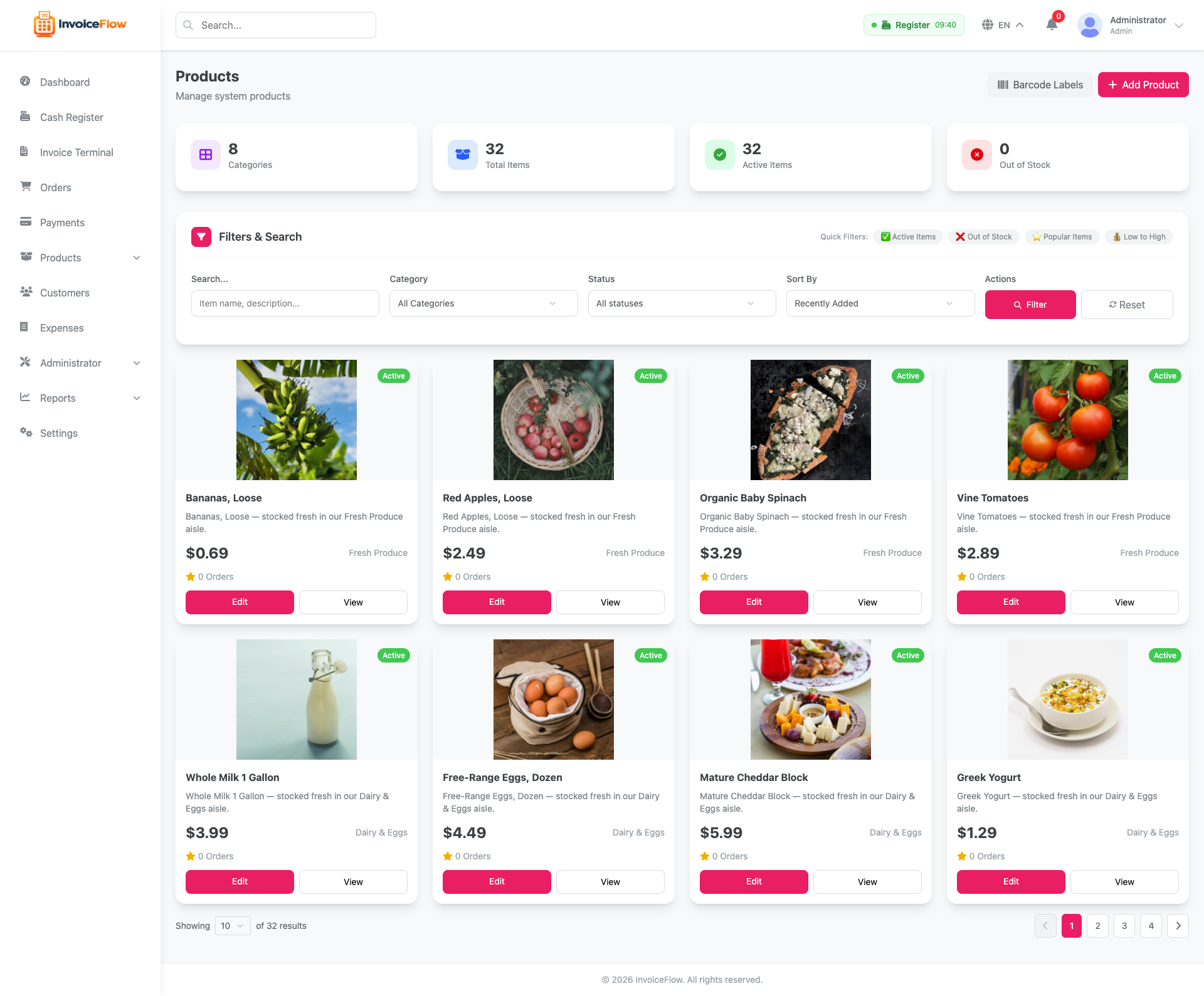
Product Catalog
Full product catalog with categories, brands, tags, units, variants and add-ons. Products carry a price and an availability flag — not a stock count.
- ✓ Products with variants, add-ons, and images
- ✓ Categories, brands, tags, and units of measure
- ✓ Warranty period carried through to order lines
- ✓ Availability flag to hide a product from the invoice terminal
- ✓ Printable barcode label sheets (server-side SVG)
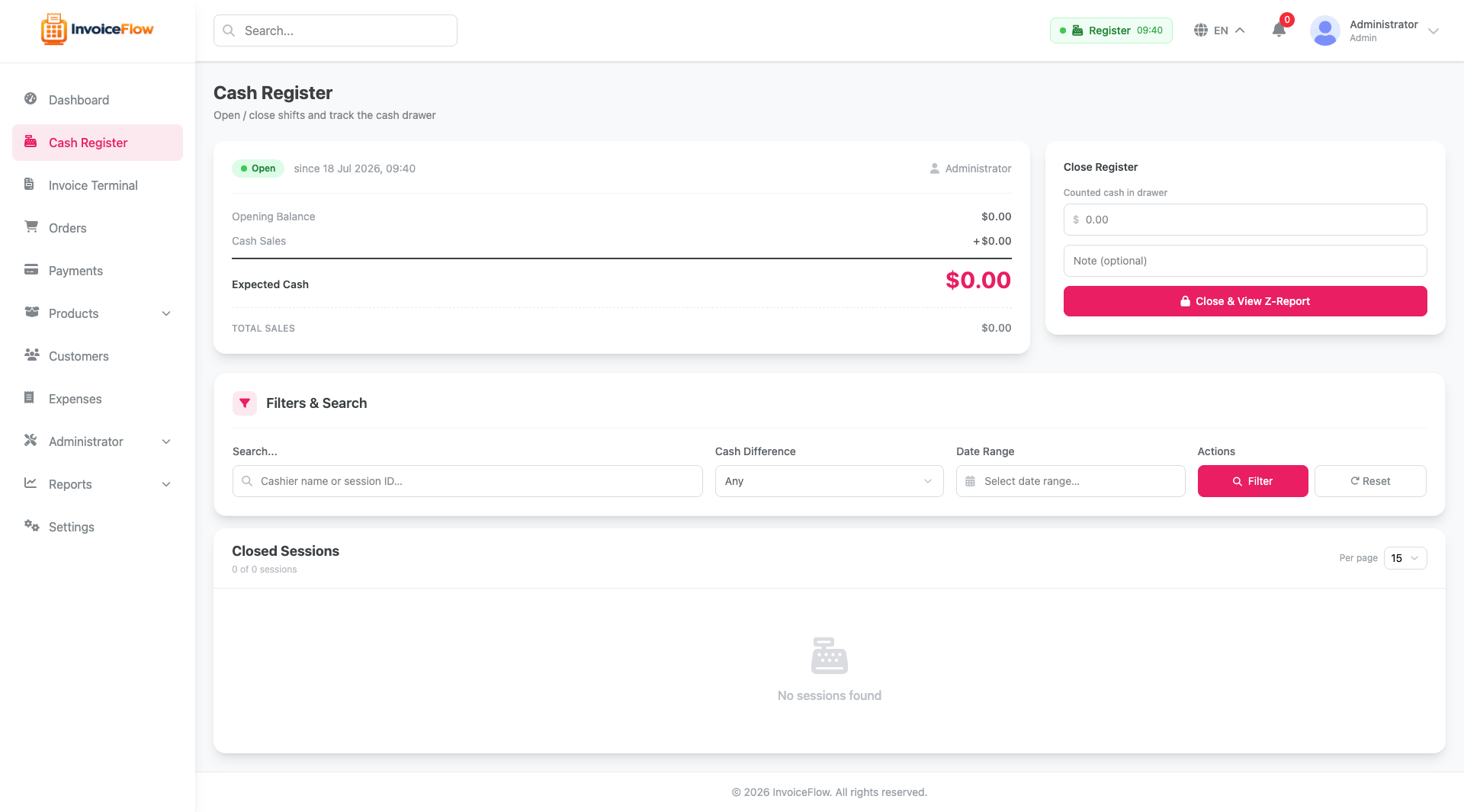
Cash Register & Shifts
Shift management with opening cash, in/out movements, and a printable Z-Report on close.
- ✓ Open/close register sessions with opening cash
- ✓ Cash in/out movements during shift
- ✓ Printable Z-Report on close
- ✓ Refunded and cancelled orders excluded from expected cash
- ✓ Payment status reflects partial and full refunds
Customer Accounts & Loyalty
Run customer tabs with a due/credit ledger, and reward repeat business with loyalty points.
- ✓ Per-customer due/credit ledger with statement view
- ✓ Record payments and add charges against an account
- ✓ Loyalty points earned on sale, redeemable for value
- ✓ Points re-settle automatically when an order is edited
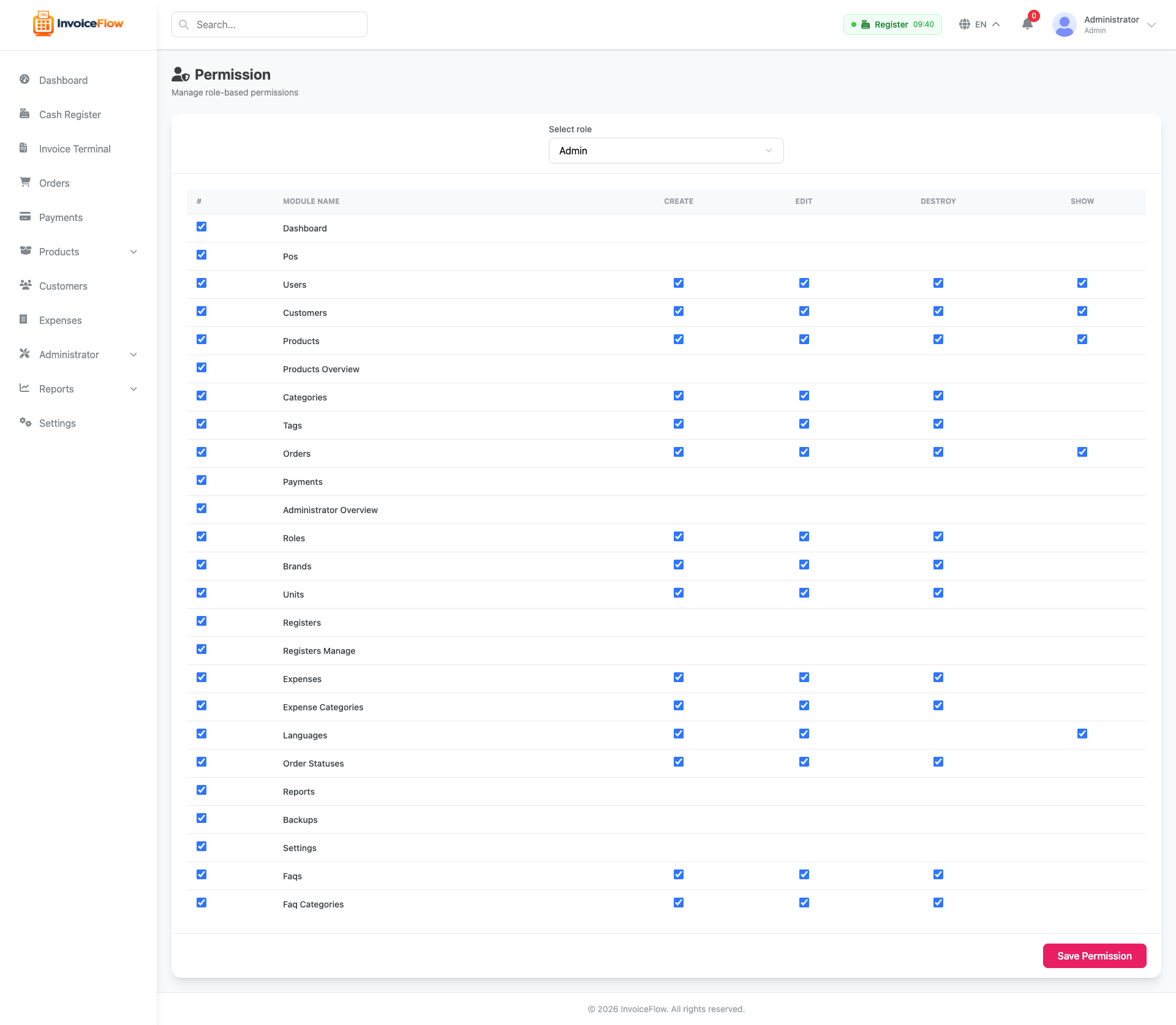
Roles & Permissions
Fine-grained role-based access control — define exactly what each staff member can see and do.
- ✓ Unlimited custom roles (cashier, manager, admin)
- ✓ Toggle individual permissions per role
- ✓ Assign multiple roles to one user
- ✓ Activity log of all admin actions
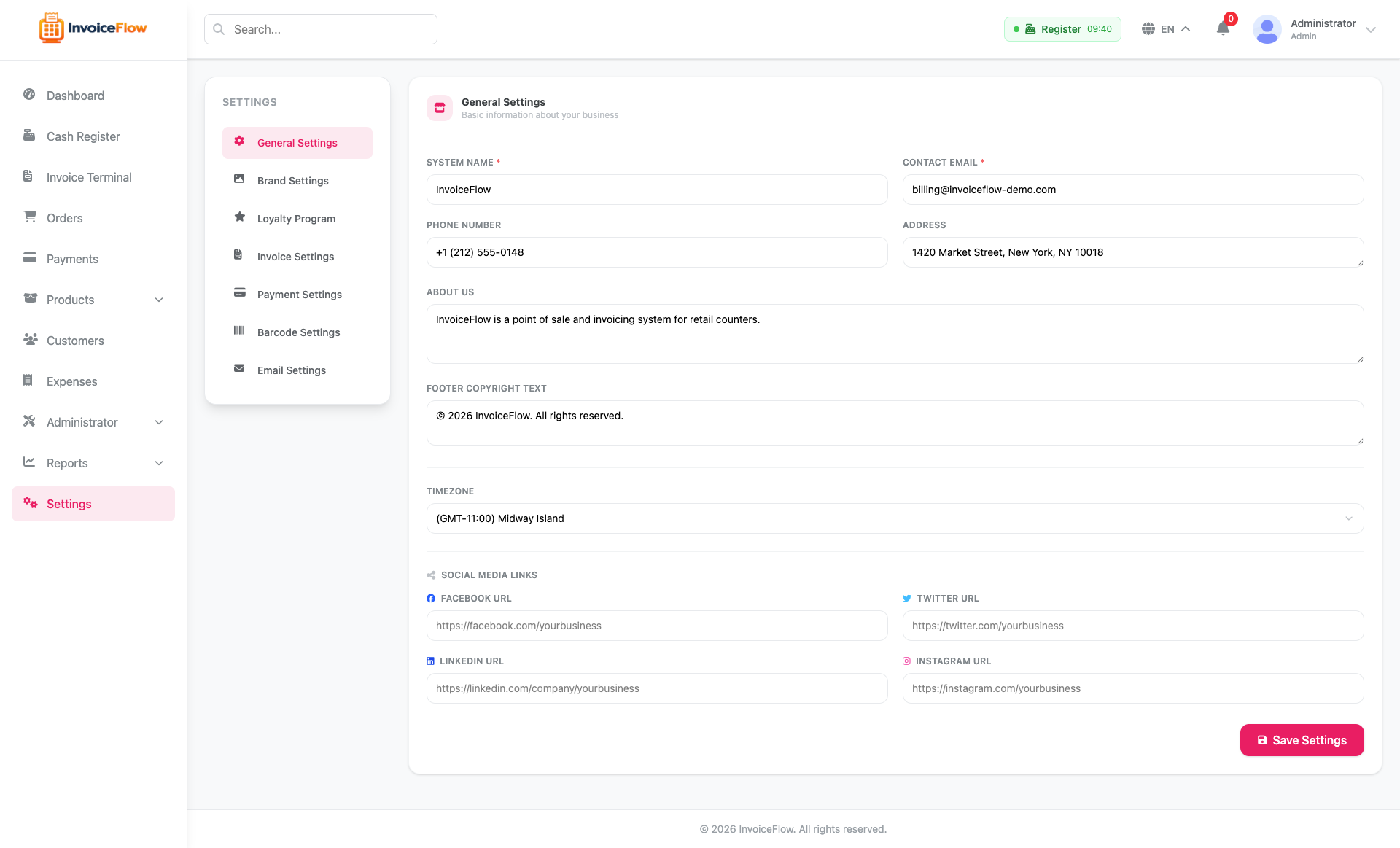
Settings & Utilities
Store settings, multi-language management, database backup/restore, and more — all from the admin panel.
- ✓ Store info, currency, tax, and receipt settings
- ✓ Loyalty points earn/redeem rates
- ✓ Multi-language with admin-editable translations
- ✓ Database backup & restore (no shell needed)
REST API
InvoiceFlow ships a token-authenticated REST API under /api/v1, built on Laravel Sanctum. It is available for your own integrations and mobile clients. No extra setup is needed — it is enabled on every install.
Getting a token
curl -X POST https://yourdomain.com/api/v1/login \
  -H "Accept: application/json" \
  -d "[email protected]&password=your-password"

# -> { "token": "1|abcdef...", "user": { ... } }
Send it on every subsequent request:
curl https://yourdomain.com/api/v1/products \
  -H "Accept: application/json" \
  -H "Authorization: Bearer 1|abcdef..."
Endpoint groups
| Group | Auth | What it covers |
|---|---|---|
| basic-info, categories, products, languages | None | Public catalog and store settings |
| login, register, forgot-password | None | Issue a token (throttled 10/min) |
| profile, orders | Bearer | The signed-in customer's own data only |
| staff/* | Bearer + permission | Store-wide: products, categories, barcode scan, customers, orders, FAQs. Each endpoint checks the caller's role permissions |
per_page (max 100).
POST /api/v1/logout, and every other token is revoked when that user changes their password. You can also clear them from the database if a device is lost.
Every route is defined in routes/api.php in the application root.
Updating to a New Version
mysqldump) and copy your .env file and storage/app folder somewhere safe before you overwrite anything.
- Download the new release ZIP from your CodeCanyon downloads page.
- Put the site into maintenance mode:
php artisan down - Replace the application files, but keep these: your
.env,storage/(uploads and logs), andpublic/storageif it is a real symlink. - Reinstall dependencies:
composer install --no-dev --optimize-autoloader - Apply any new migrations:
php artisan migrate --force - Clear stale caches:
php artisan optimize:clear - Repair the uploads symlink if images 404:
php artisan invoiceflow:install-assets - Bring it back up:
php artisan up
storage/installed.lock. It is what tells InvoiceFlow it is already set up. Removing it sends every visitor back to the installer.
If you run a queue worker, restart it after updating so it picks up the new code: php artisan queue:restart. See the Queue Worker section.
Third-Party Licenses
InvoiceFlow bundles open-source libraries. Most use permissive MIT/BSD/Apache licenses; two are LGPL and worth knowing about:
vendor/ after composer install. Using them as-is places no obligation on your own code — only modifying the libraries themselves would.
The full list of bundled third-party libraries and their licenses is in credits.txt in the application root.